PCB
PCB  Advanced PCB
 .png) Rigid-flex PCB
Rigid-flex PCB  Flex FPC
  Aluminium PCB
  OEM
OEM  News
News  PCB Technology
  Hot Chips Stock
  About Us
  Contact Us
  Procurement
  Payment Methods
  Shipping Methods
 How AD closes strings
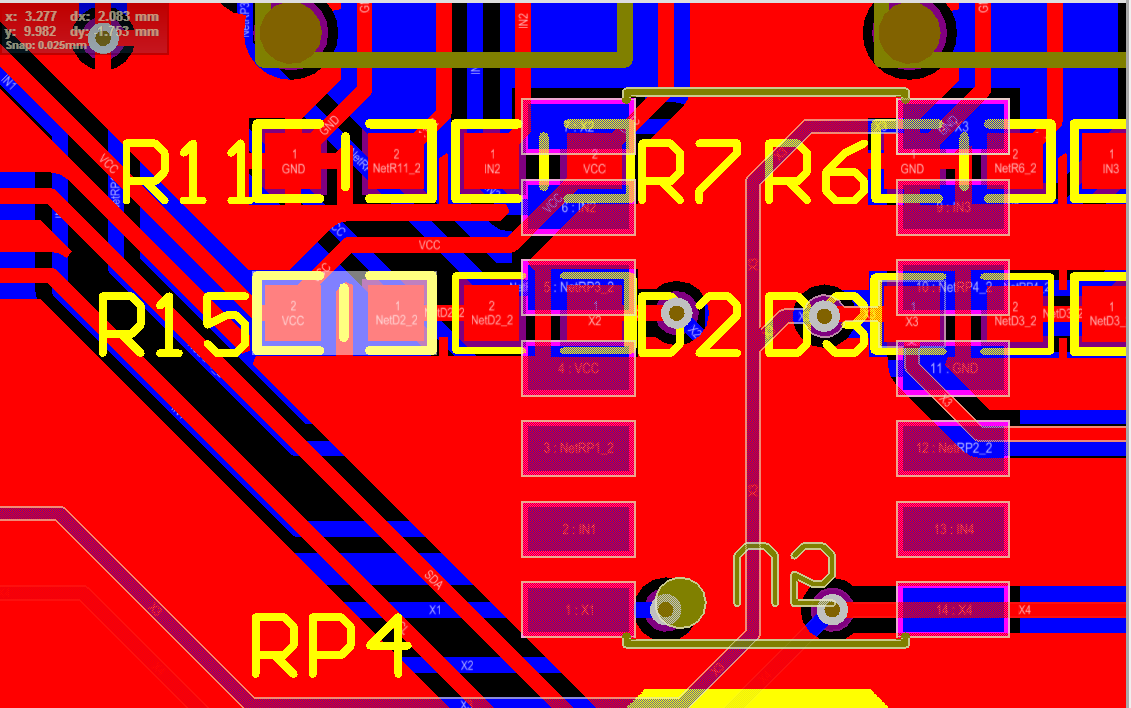
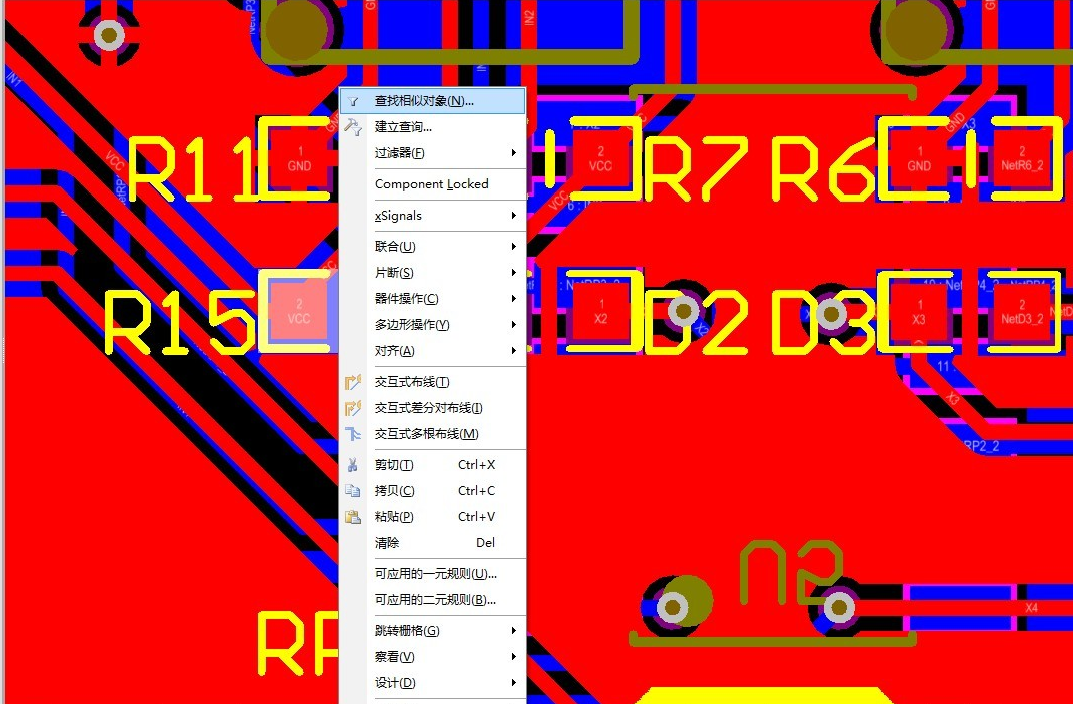
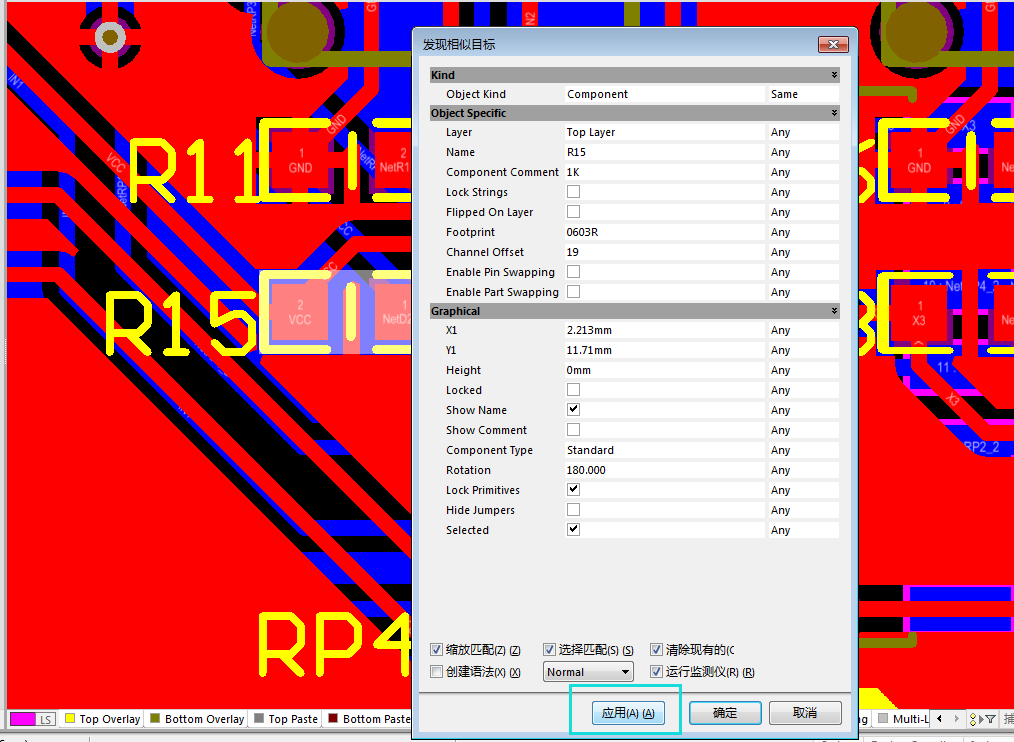
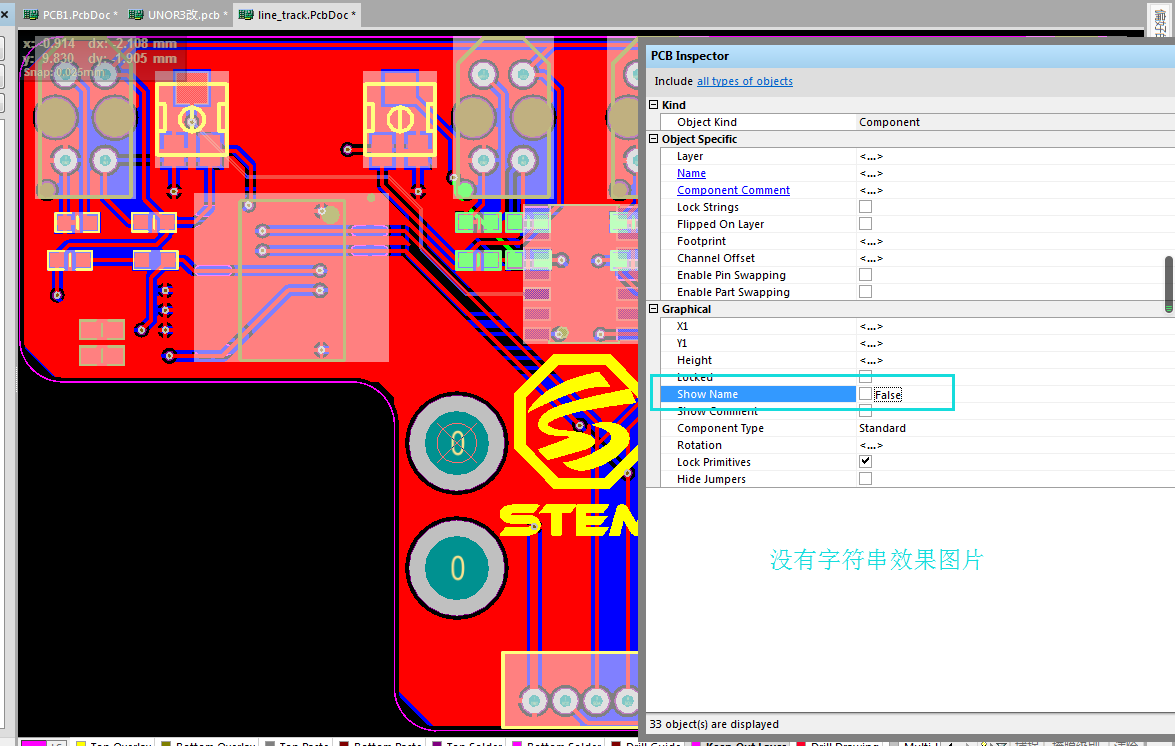
First, click on a device, right-click to find similar objects and apply it directly, without changing any settings. The device will be selected, and then confirmed, remove the check of the Show Name character and it will disappear, you can try it!
1. Select any device
2. Right-click to find similar objects
3.Apply directly, but the button is determined
4.Remove the Show Name character and it will disappear
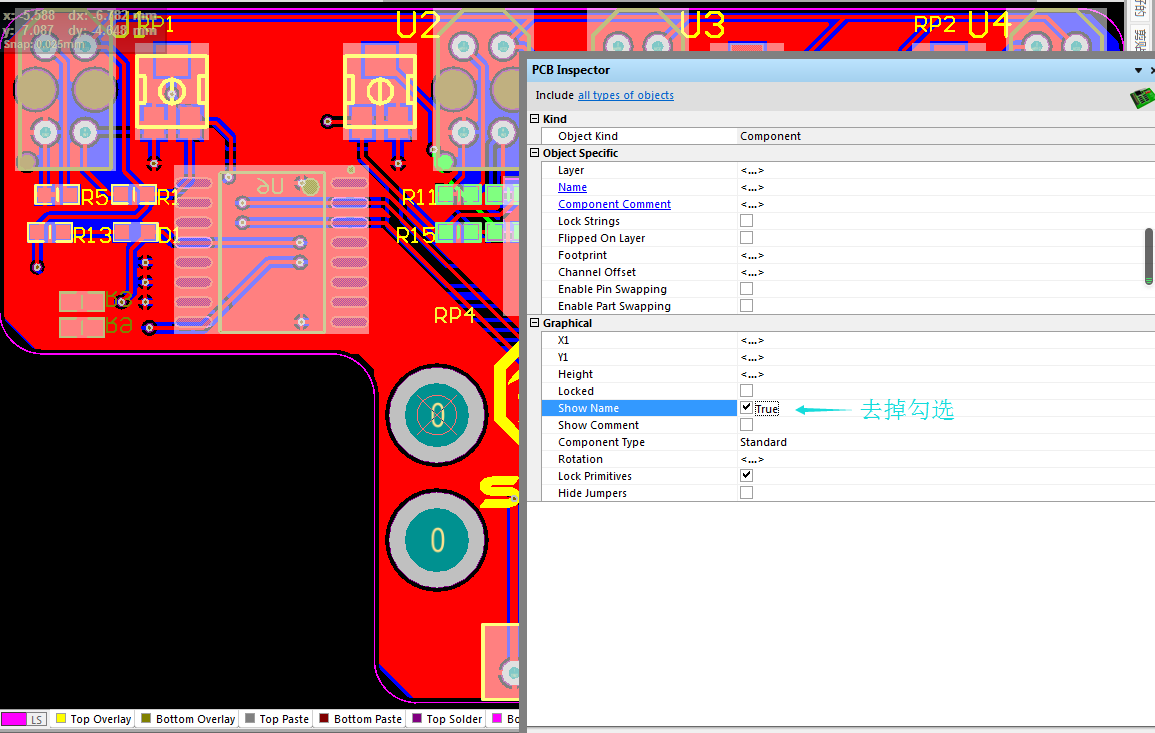
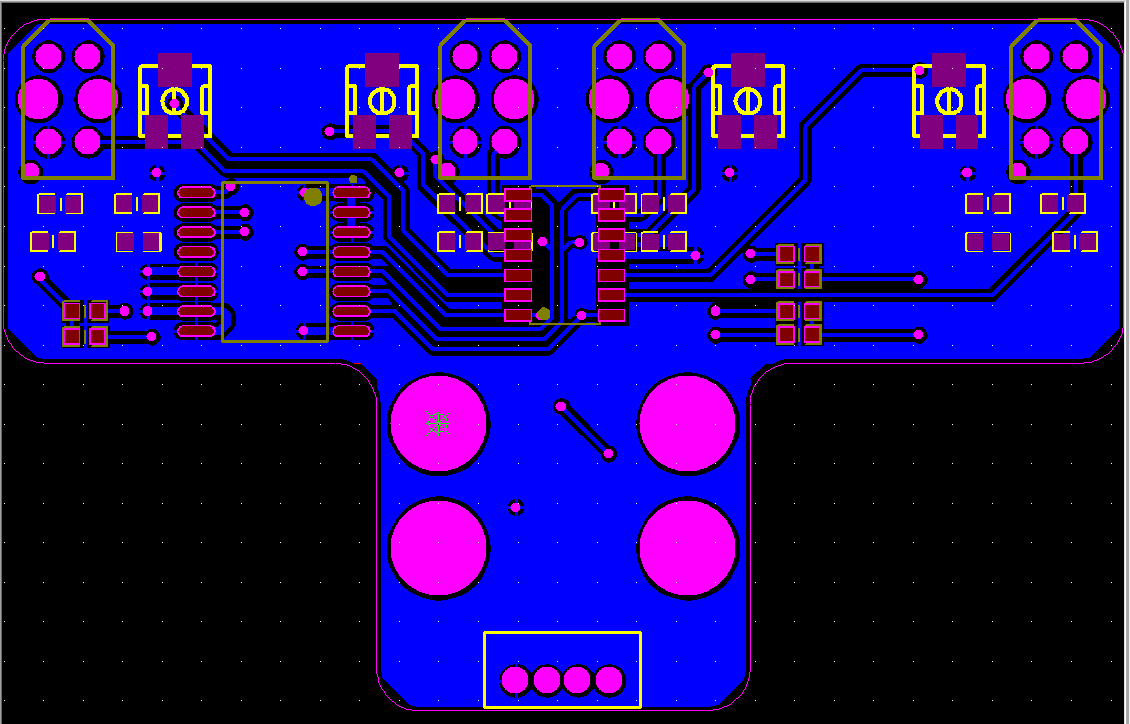
5.Below is the rendering of the string removed
Disclaimer:The materials on this website are collected and sorted from the Internet. The copyright of the works belongs to the author. If it infringes your copyright, please send an email to us